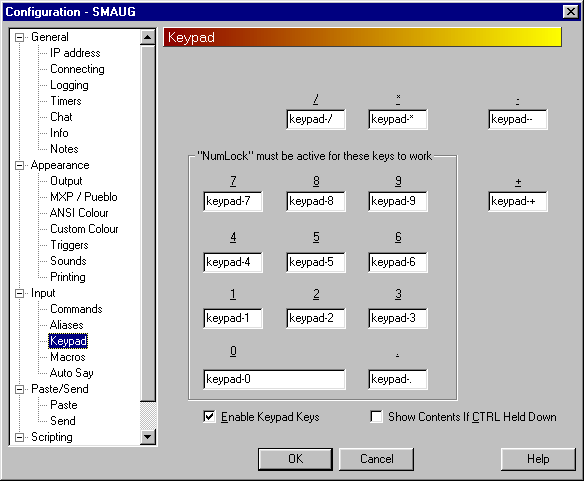
OK, this is simple enough. The trick is to make the keypad configuration send words (like 'keypad-0' which are then picked up by an alias.
First enter keypad configuration and assign a different word to each key, like this ...
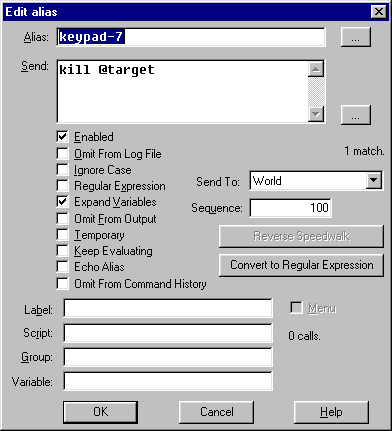
Now add aliases for each of those words. To expand out a variable check 'expand variables', like this ...
To assign the target name you can just use the variables configuration screen, or make an alias like this ...
<aliases>
  <alias
   match="keypad-0"
   enabled="y"
   send_to="12"
   sequence="100"
  >
  <send>target = InputBox ("Enter new target name", "Target")
if target <> "" then
  SetVariable "target", target
end if</send>
  </alias>
</aliases>
(Copy between the lines and click on the 'Paste' button in the Alias configuration list).
Now pressing keypad '0' will bring up a dialog box asking for the new target name. Enter it and it will be assigned to the variable 'target' which is used in the earlier alias.